
After the introduction of smartphones and mobile internet services, virtually everybody has been walking into walls, glued to their computers, revelling in the internet’s ethnographic information. This means it’s more important than ever to make sure your website works on mobile devices, but there’s a draw: the devices do you support? Tablet computers? What about phones? or smart watches?
Responsive web design is the process of making a single website ‘respond’ to the size of the window it is displayed in, enabling users to view your website on any screen, large or tiny, and make it look as good as it does on a desktop computer. Responsive design has progressed steadily over the years, taking several various forms as requirements and support for new technology have increased, and the need to appeal to an increasingly mobile obsessed population has become more critical. This whitepaper examines the innovations that have arisen to address this issue, as well as where they are headed. How responsive design impacts a user’s background and how we can be more responsive to the customers’ requirements and experiences is what responsive design is all about.
1. Responsive Web Design
A component of website quality assurance, responsive web design aims to create a website that can function on any device with any screen size. The main objective is to make sure that users, whether they utilize desktop or mobile devices, have an easy-to-use and entertaining experience.
1.1 Responsive vs. Adaptive Web Design
Adaptive web design is another method for building websites that are simple to adjust for many sorts of devices (AWD). It is not the browser itself, but rather a collection of design techniques based on the usage of multiple devices. It is put into practice by using JavaScript, CSS, and specific size restrictions.
Both responsive and adaptive design enable websites to be customized for different screen sizes and mobile devices, ultimately giving mobile device users superior capabilities.
Regardless of the device, responsive design is a style that can adjust to any screen size. It makes use of media queries to adjust styles according to factors like screen kind, width, height, etc. However, only one of these criteria is actually required in order to make the site responsive to multiple screen sizes. Static layouts based on control points are used in adaptive design; the layout for a given screen size is first loaded after the screen size has been established.
2. Components of Responsive Web Design
The primary characteristic of responsive web design is that the layout adapts automatically to screen scaling thanks to a fluid grid. That is as a result of its primary three technical components:
- Flexible layouts (fluid grid)
- Flexible media
- Media queries
Instead of using fixed pixel values, layout flexibility is based on the use of relative units of measurement, which enables modifying the width in line with the available space to fit content onto a device’s screen.
The foundation of media flexibility is the adaptation of the media content to the requirements of the device. They either shrink or extend based on the container that is displaying the image. Media queries are used to alter styles according on the type, width, height, orientation, and screen resolution of the devices used to show the content. In essence, media queries produce responsive design, which applies the right styles to each screen size.
3. Testing Responsive Web Design
Ensuring a positive user experience on desktop, tablet, and mobile screens is the main objective of evaluating responsive web design. Since there are so many new features that need to be tested, such as finger swipes, tapping, hovering, scrolling, and many more, it is getting more and more difficult to make the website work across a variety of devices, platforms, and web browsers. Additionally, the difficulty is increased by the fact that various devices have varied screen resolutions.
RWD testing is conducted using two different sorts of tools: standalone and browser based.
- A browser-based tool is used to test a website’s responsiveness by altering the viewport according to the resolution and size of the device.
- Dynamic media.
- Testing the responsiveness of online content on a device requires an independent tool.
All browsers are able to test for desired screen sizes using pixels because they provide the appropriate plugins or extensions. Additionally, Chrome has software tools that can be used to adapt the surroundings and screen to the needs of the device.
The responsive web design (RWD) testing method must make sure that:
- In all browsers and on all devices, the URL is the same.
- When the screen resolution changes, the location of the content is dynamic.
- The images have a particular resolution to work on desktop or mobile devices.
- In order to support dynamic content modification, the windows are resized.
4. Guideline for Testing Responsive Web Design
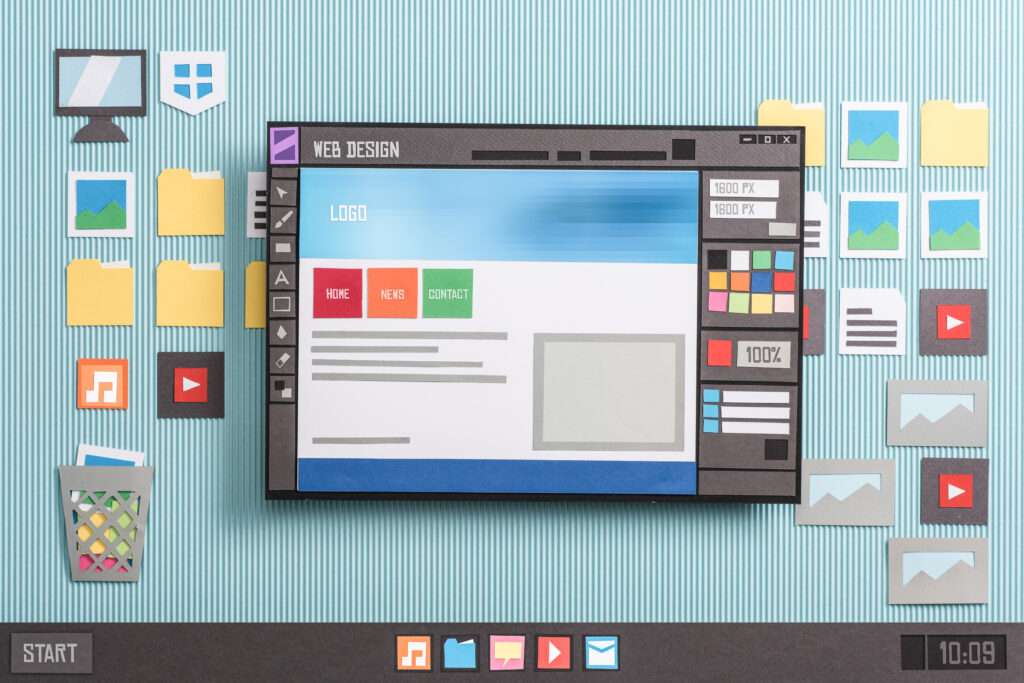
We always want our websites to look nice on various devices, and this responsive web design testing guideline will assist you in accomplishing that goal.
4.1 Website Navigation Testing
The navigation bar should change in tandem with the device. A navigation bar is used to quickly navigate to separate segments or pages on your website. A navigation bar usually consists of five or more aspects. If we use @media queries with a meta tag to downscale the navigation bar on a mobile device, they will not be available or large enough just to click. As a result, on smaller screens, we go with a hamburger menu strategy, which is very common. It is so well-known that if a user can’t find something else, he would go out of his way to find it.
It is important to test the navigation models on various screens as a guideline element to ensure that they are not promoting a poor user experience.
4.2 Fonts Should Be Tested on Several Devices
Developers use a variety of fonts and design techniques to write text on their website to cater to users creatively. These fonts may or may not be strongly recognized, and in devices that rely on the encoding format, they may turn into odd numbers or codes. As a result, it’s important to test the fonts on a variety of devices before committing to real responsive testing.
4.3 Device-Browser Configurations Must Be Tested
Using Google Analytics to analyze web and mobile traffic, including the browsers and devices that were used to access the sites. You might want to use the trial versions to test the website’s responsive web design. This operation should be repeated every fifth, with the addition of a new web browser and computer and the removal of the old ones.
4.4 Small-Screen Device Testing
Mobile devices are used by more than 80% of Web users. You can’t have a website that doesn’t answer to any mobile device because the number of mobile users is growing every day. As a result, considering the mobile-first design approach when designing for responsiveness becomes essential. Your design should first be optimized for small screens, such as cell phones, before moving on to bigger displays.
4.5 Test Your Website’s Speed
The performance of your units in terms of sizing up or down as per devices is measured by responsive design. However, when it comes to heavy elements like photos, videos, and other media. They are the primary sources of concern for affecting the website’s loading speed on smaller devices like smartphones which typically operate on lower frequencies. If we continue to make the same images on larger devices, such as laptops, the loading time will increase substantially, causing your end-users to become frustrated.
According to a Forrester Consulting report, the minimum waiting period is just two seconds. The user will most likely hit the back key on the keyboard if your loader is still spinning after 2 seconds. As a result, test the speed of your website, and if it’s a little slower than you thought, use different methods to make the same images on these smaller devices.
4.6 Test for Synchronization of Elements
For smaller screen devices, element synchronization is critical since they are easily identifiable. All can see when a shape is out of context and cutting through the limit. There are several elements on the website, and the tester must ensure that they are all aligned correctly on the computer. Responsive web design can yield no results unless it is rendered and aligned properly.
4.7 Content Placement Test
Since the display area is wider on a larger screen, such as a desktop or laptop, it is much easier to locate an element. We may also concentrate on any corner due to the distance between the screen and the user. For mobile devices, however, this is not the case. On mobile devices, we must keep in mind that the screen size is restricted, and if we try to show everything as it is, the screen will become messy. Check to see whether the critical elements are inside this region or not, and that the elements are not too crowded.
4.8 Test for Faults with Cross-Browser Compatibility
The first and most important step in responsive design testing is to run cross browser tests on the device to see whether the website is compatible with different browsers. Cross-browser testing enables you to access and discover your website on any browser, operating system, or specification. Cross-browser testing is a more complex concept, and discussing it here will take us away from the topic of this article. Manual cross-browser testing and automated cross-browser testing are two types of cross-browser testing that can be done in a variety of ways.
Cloud-based online cross browser testing tools are quite effective. Cloud-based tools are easier to use, less expensive, and do not require the establishment of any testing infrastructure. It is a personal choice, and if your methods produce the best results, that is equally well and good.
4.9 Test the Ability to Interact
Mobile devices are available in a variety of screen sizes. Another factor to remember is that since Steve Jobs released the first iPhone, the interactive interface has evolved. Today, some people use a stylus for routine and precise contact, while others use only one hand to communicate with the computer. The main goal of this responsive website testing guideline is to ensure that the interactive experience remains consistent regardless of whether or how interactions occur. The key should not be so little that you can use your hand to press two at once. By multiple models and other means, the UI should attempt to encapsulate the majority of the options.
4.10 Test the Responsive design of your website popups.
Popups are widely used because they are an effective way to turn website visitors into paying customers and sales. Do you realise, however, that website pop-ups can be both a buddy and an opponent? It can irritate your visitors and significantly damage your website’s credibility with search engines if not displayed properly.
You can use responsive design testing to evaluate that the pop ups that are shown are responsive as well, so that their function can be fulfilled on any device.
A non-responsive popup can cause confusion for the user because the close button may fall outside of the limit, while a responsive popup would still entice the user to take advantage of the deal you’re displaying. Always note to mark this thing off your to-do list.
4.11 Assume the role of a user and test the website.
The final item on our checklist is to test the website, not as a tester, but as an end-user going to visit this website. As a tester, you are always going to think like a tech expert, and you may lose some minor bugs because you believe they will not be noticed by the user. Actually, this is almost never the case. There is a good chance that at least 1% of the millions of people who visit your website will be troubled by that overlooked bug.
As the final task, always test your website as if you were a user. Investigate various areas of the website and become interested in the concept. If it’s an eCommerce site, look through the items as if you’re wanting to purchase them. Add them to your shopping list and explore all of the website’s options before completing the purchase. You never know when or where your responsiveness will be required. You can think like an end-user and produce a flawless responsive website if you test like an end-user.
5. Responsive Design Testing Tools
To test your website’s actions across multiple devices, browsers, and operating systems, you must employ a thorough testing strategy. Taking into consideration all of the above-mentioned responsive web design testing guidelines items such as checking for manual intervention, page loading, fonts, images, navigations, configurations and so on. It would be a difficult challenge to bring out all of these activities manually.
There are a variety of resources on the market that can handle responsive website testing checklists with ease. The following are some of the tool’s most prominent things:
- Mobile debugging on more than 40 different device configurations
- Checking a website on various devices
- Build your own devices.
- For reference, here’s a side-by-side smartphone view of the website.
- Mobile website testing with built-in DevTools
- Even without extensions or tunnels, test a local website.
- One-click bug reporting.
- Smooth checking with Scroll Match
6. Responsive Design’s Future and Prospect
Although modern responsive design is a significant improvement over previous years’ web applications, there are still some devices that the web cannot reach, especially wearable devices. As these types of devices become more common, it may become necessary to go beyond HTML’s original limitations in order to catch pace. While devices like Apple’s SmartWatch and Samsung’s “Gear” band are flashy, given the limited screen room, even a well-optimised responsive website will struggle to show data in a quick or attractive manner. Some think that the answer is to include a sound-based interface, with voice commands for site navigation and screen-reader-like readouts for each segment and to construct the site from the sound up. However, there are certain advantages and disadvantages to this. Although the concept of talking secret commands into your wrist gadget appears cool in science fiction and spy films, the majority of the population still feels uncomfortable or stupid talking to an inanimate object in public or even in private business. Although voice recognition technology has been there for a long time. Audio interfaces have the inherent problem of inadvertently revealing to anyone what you’re browsing or looking for at any given moment, obliterating anonymity and no doubt, annoying others nearby.
Others contend that responsive design, or the web in general, should be limited in what it attempts to adapt to in the future. In fact, smart watches and other new mobile technology are advertised as a supplement to your main device rather than a substitute — what could it possibly do that would make browsing on a modern smartphone display more convenient?
Except for responsive web design, anything like the audio interface listed above would almost certainly necessitate specialized analysis and implementation, adding to the cost of website creation. There’s still the issue of assistance. One of the advantages (and disadvantages) of the internet is that anybody with any degree of technical knowledge can create a website and upload almost any content and software they like, and the browser will do its best to put together a functional visual interface. Consider what it might be like if you had an audio browser. Websites that are poorly organized, reading pages in the wrong order, or simply spouting incorrectly formatted. Will it fall back to usability standards and read the site from top to bottom line by line if the owner hasn’t bothered with audio navigation at all? As every reputable website should strive to help screen readers in order to provide convenient access for the visually impaired, this is by no means the only way to browse the internet. Adapting for augmented reality platforms, which have become more prevalent as famous consoles and services such as the PlayStation 4 and Steam launch their own virtual reality systems, is a more likely move forward in the field of responsive design. The new ‘browser’ model of web browsing can still function for VR, with a user scrolling and navigating through a rotating document in virtual space as normal. However, much more could be done with the format, such as providing floating controls for controlling web videos or even 360-degree displays for images and web pages. Web developers may use these tools to build virtual worlds to move through or new ways to browse content.
This could be a long way from the current state of the internet. The introduction of the HTML5 and CSS3 standards has made significant progress in providing developers with the resources they need to do much more with their software, but we might not be able to enter these fascinating mediums before the next major advancement in these developments.
7. Conclusion
The importance of providing a great user experience to all website visitors, regardless of their platform, cannot be overstated. Responsive web design testing is a crucial process in achieving this goal, as it ensures that the website looks and functions well on various devices. With new devices being launched regularly, responsive design testing must be a continuous process rather than a one-time event.
Nowadays, many websites are adopting the latest responsive design approach to reach a broader audience and future-proof themselves against advancements in web-activated devices. This approach allows website owners to focus on developing new features that all users can appreciate, rather than worrying about some users being left out or functionality breaking down in the future.
At TestDel, we specialize in delivering outstanding web experiences that are efficient and yield high ROI. Our collection of web design services and e-commerce tools can be customized to fit your organization’s needs perfectly.